
The Home Office Setup That Survived a Year
A chair from a company that sells to offices, a desk that goes up and down and nothing else, a monitor that replaces the dock, and two small things that made the desk pleasant. This is what is still here after a year.
As an Amazon Associate, Karen Verified earns from qualifying purchases. That never changes our verdict.
Our picks
 Karen Verified
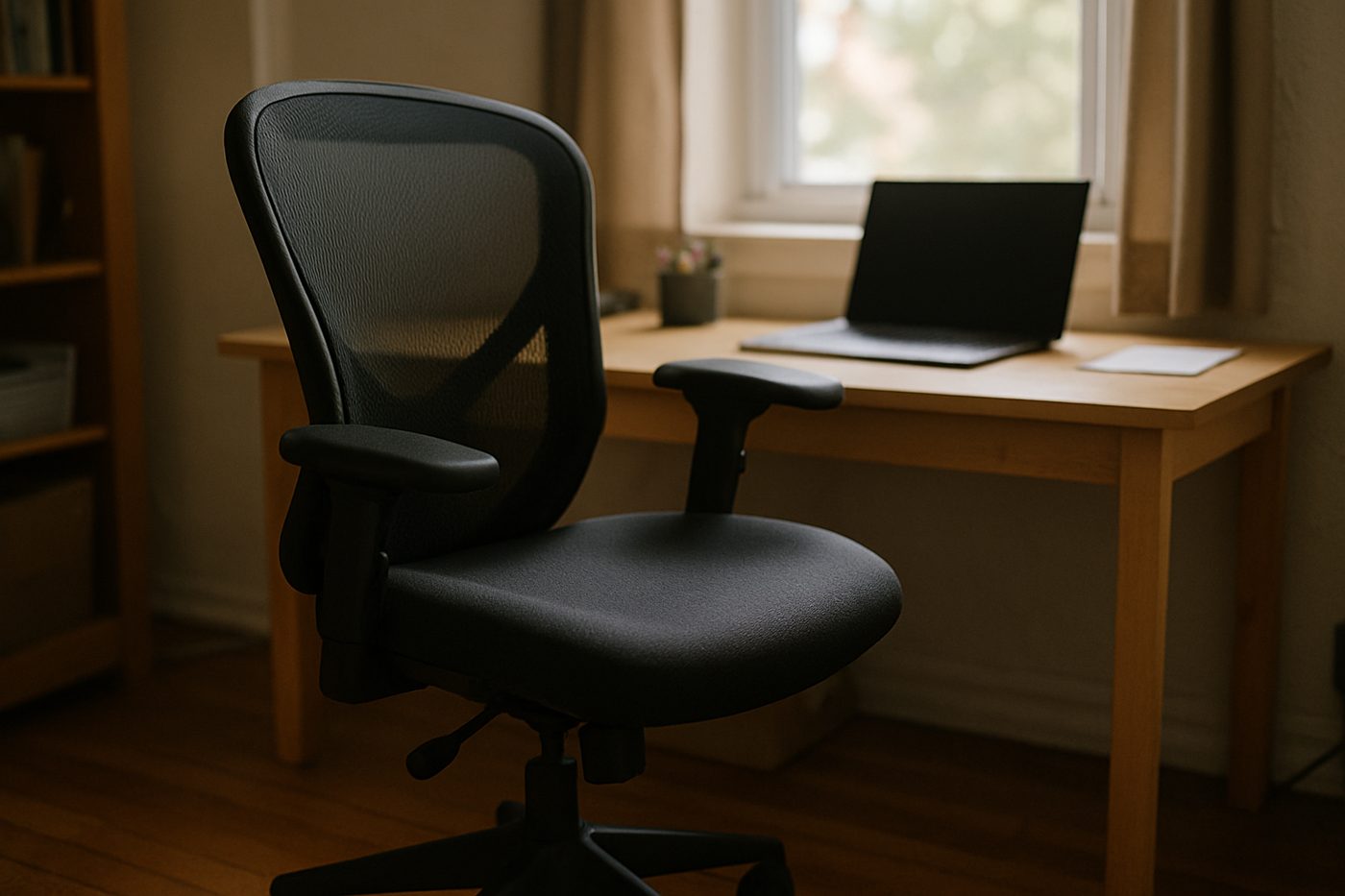
Steelcase Series 1 Office Chair, Licorice
The least expensive chair from a serious office-furniture maker, and it feels like one.
 Karen Verified
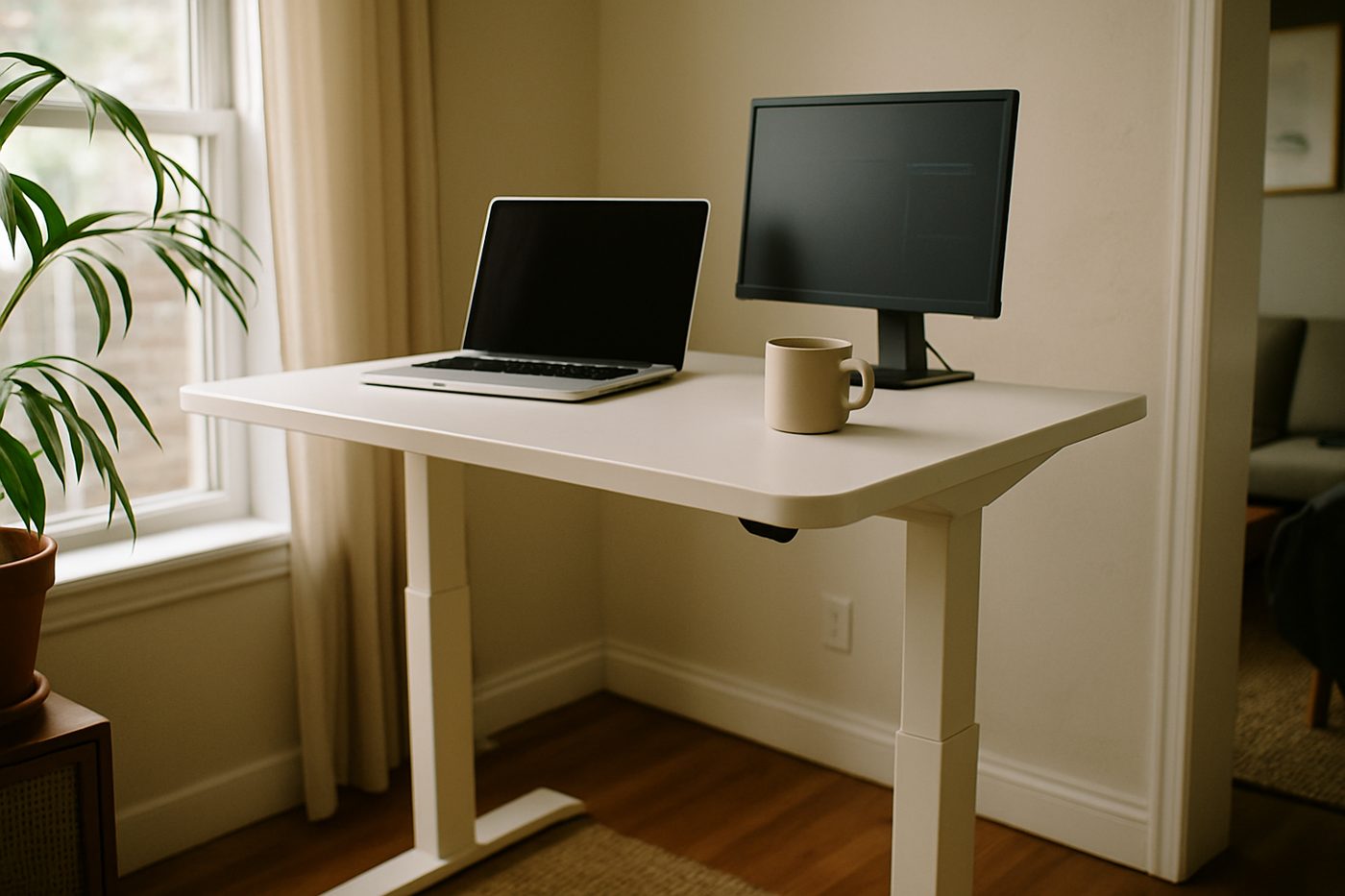
FlexiSpot EN1 Electric Standing Desk, 48 x 24 in, White
The entry-level electric desk that does the one thing that matters: goes up and down, reliably, for years.
 Karen Verified
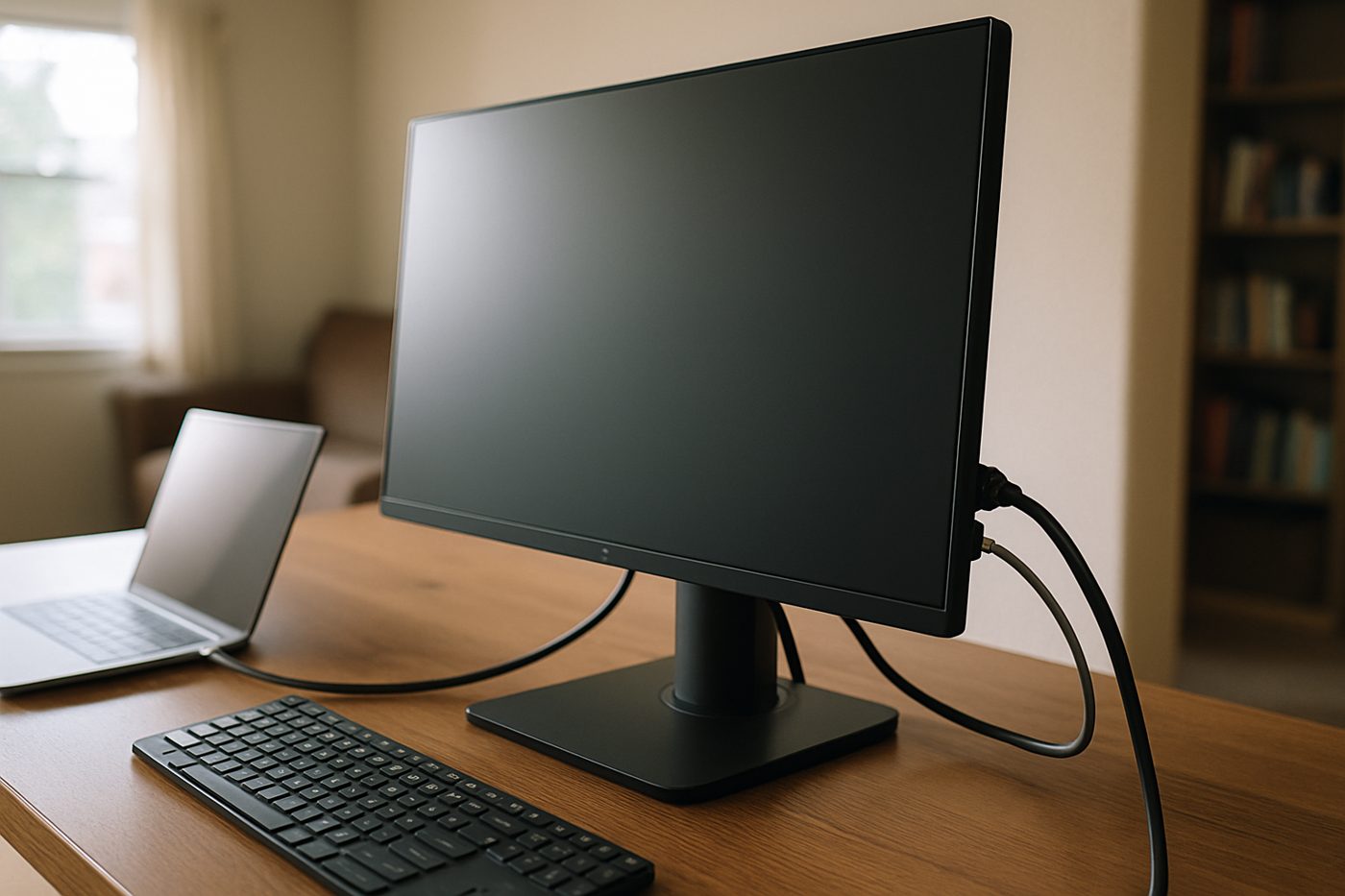
Dell UltraSharp U2723QE 27-inch 4K USB-C Hub Monitor
A serious 27-inch 4K panel with enough ports on the back to replace a docking station.
 Karen Verified
Logitech MX Master 3S Wireless Mouse, Black
The productivity mouse everyone recommends, and after a year we still cannot find a reason to disagree.
 Karen Verified
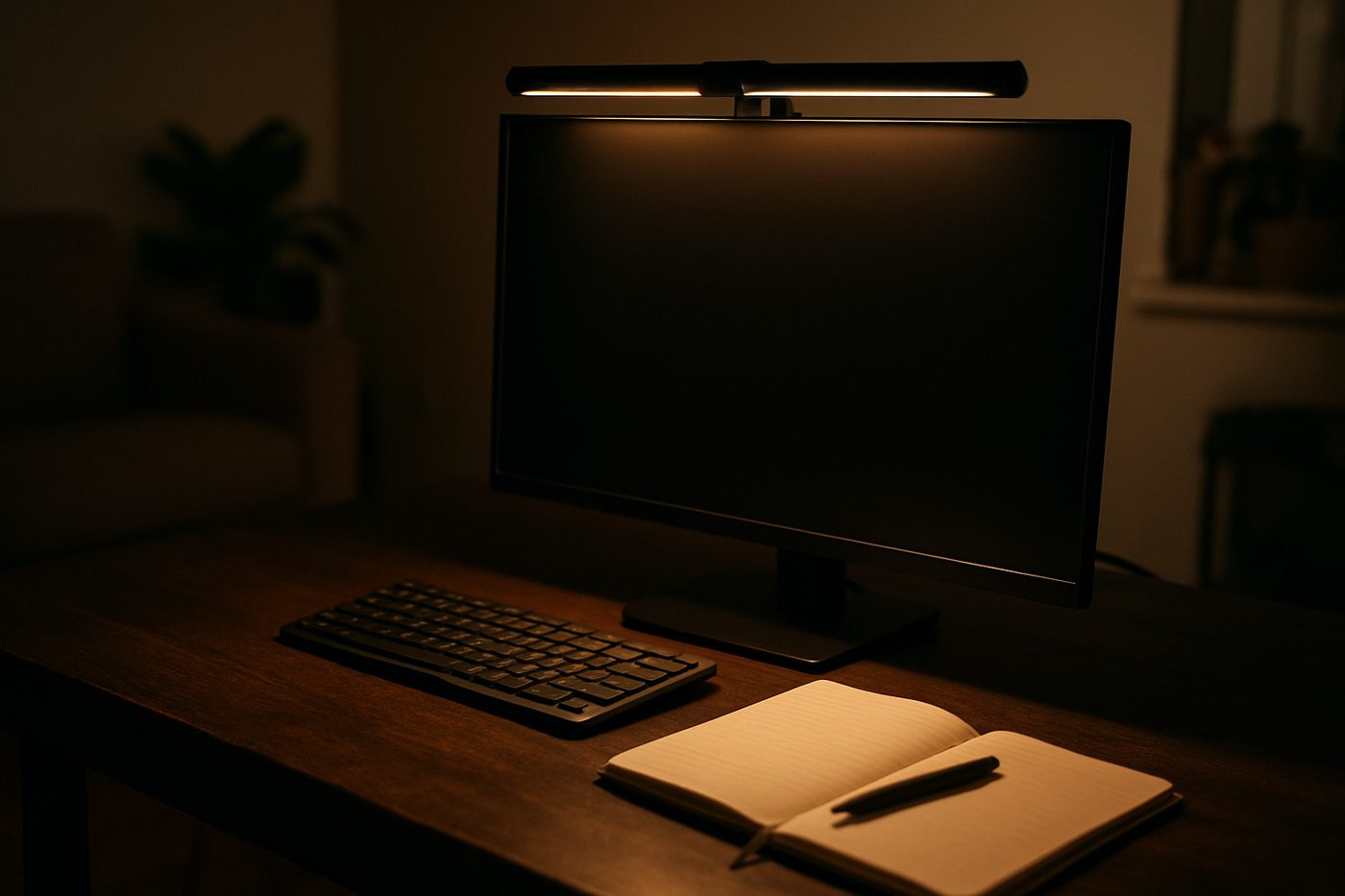
BenQ ScreenBar Pro Monitor Light Bar, Black
The monitor lamp that lights the desk and not the screen, and it costs like it knows that.
Quick decision
If you buy one thing: The Steelcase chair. Everything else is comfort; the chair is health.
If you use a laptop: The Dell monitor. One cable does the screen, the power and the network.
If the desk is already fine: The MX Master and the ScreenBar. Two small things you will notice every day.
Comparison table
| Product | Verdict | Best for | Adjustability | Connectivity | Footprint | Assembly | Warranty | Main strength | Main weakness | Links |
|---|---|---|---|---|---|---|---|---|---|---|
| Steelcase Series 1 Office Chair, Licorice | Karen Verified | Best chair | — | — | — | Arrives assembled | 12 years on most parts (manufacturer states) | A weight-activated recline that just works, a flexible mesh back, adjustable lumbar and a warranty from the manufacturer that runs into double digits. | Firm seat, small footprint, arms that feel a little plasticky for the money. | Review · Amazon |
| FlexiSpot EN1 Electric Standing Desk, 48 x 24 in, White | Karen Verified | Best desk | — | — | — | — | — | Quiet motor, memory presets, a solid one-piece top, and a price that does not require a committee. | Some wobble at full height, and the top is thin laminate. | Review · Amazon |
| Dell UltraSharp U2723QE 27-inch 4K USB-C Hub Monitor | Karen Verified | Best monitor | — | — | — | — | — | Excellent contrast for an IPS panel, accurate colour out of the box, and a hub with Ethernet and plenty of USB. | Costs like a premium monitor and looks like a business one. | Review · Amazon |
| Logitech MX Master 3S Wireless Mouse, Black | Karen Verified | Best mouse | — | — | — | — | — | The free-spinning scroll wheel, quiet clicks, a thumb wheel for horizontal scrolling and weeks of battery. | Large, heavy, right-hand only, and the software is more than it needs to be. | Review · Amazon |
| BenQ ScreenBar Pro Monitor Light Bar, Black | Karen Verified | The small luxury | — | — | — | — | — | Light falls on the desk, not the panel; auto-dimming; a motion sensor that switches it on when you sit down. | Costs a lot for a lamp, and the clip does not fit every monitor. | Review · Amazon |
As an Amazon Associate, Karen Verified earns from qualifying purchases. That never changes our verdict.
Methodology
- Researched
- The chairs, desks, monitors and desk accessories that readers working from home asked about, from office-furniture makers to the accessories with cult followings
- Used hands-on
- Five items in daily use at one home office for a year, with a second desk for comparisons
- Period
- September 2025 – September 2026
- Selection process
- Things that make a workday better and last. Webcams, headsets and keyboards are covered separately.
- What we judged
- Comfort at the end of a long day, how adjustments held, wobble and noise, how many cables the setup needed, how the light fell on the desk and the screen, and the warranty text as the manufacturer states it.
- Scenarios
- Eight-hour desk days, video calls, evening work in a dim room, and a desk moved twice.
- Limitations
- One body of average height. Tall or heavy readers should read the chair and desk catches closely. We did not measure colour accuracy or brightness ourselves.
- Dates
- Updated September 2026
- Product sourcing
- All items purchased at retail.
Read how we evaluate products.
Steelcase Series 1 Office Chair, Licorice Karen Verified
Why it won
A weight-activated recline that just works, a flexible mesh back, adjustable lumbar and seat depth, and a warranty the manufacturer states at twelve years on most parts. It is the least expensive chair from a serious office-furniture maker, and it feels like one.
What it does well
Six to nine hours a day, for a decade.
The catch
The seat is small and firm. Over six feet or fond of sinking into a chair, it will feel made for someone else. The arms feel a little plasticky for what it is.
Who should buy it
Anyone sitting six to nine hours a day who wants a chair that adjusts properly and is built to be sat in for a decade.
Who should skip it
You are tall and heavy, or you want a plush, padded seat rather than a firm, supportive one.
Evaluation
In use since September 2025. Key specifications: Back: 3D Microknit flexible mesh; Adjustments: Seat height, seat depth, 4-way arms, lumbar height, recline tension (manufacturer states); Weight capacity: 300 lb (manufacturer states); Casters: Standard carpet casters; Assembly: Arrives assembled; Warranty: 12 years on most parts (manufacturer states).
Versus the main alternative
Against the HON Ignition: firmer, smaller and better built; the HON is the wider, more padded choice.
Where to buy
Steelcase Series 1 Office Chair, Licorice
See today’s price on Amazon Read the full reviewAs an Amazon Associate, Karen Verified earns from qualifying purchases. That never changes our verdict.
FlexiSpot EN1 Electric Standing Desk, 48 x 24 in, White Karen Verified
Why it won
A quiet single motor, four memory presets, anti-collision the manufacturer states, and a solid one-piece laminate top. It goes up and down, reliably, and that is the whole job.
What it does well
Trying standing without a committee meeting about the budget.
The catch
At the top of its range it sways if you push on it. For typing that is fine; if you lean on your desk or stack two big monitors on arms, the wobble will bother you. The top is thin laminate.
Who should buy it
Anyone who wants to try standing without spending desk-of-the-decade money.
Who should skip it
You load the desk with two big monitors on arms and lean on it, or you are very tall.
Evaluation
In use since October 2025. Key specifications: Top: 48 x 24 in one-piece laminate, 1 in thick; Height range: Manufacturer states roughly 28 to 47 in; Motor: Single motor, electric; Presets: 4 memory heights; Load capacity: 176 lb (manufacturer states); Anti-collision: Yes (manufacturer states).
Versus the main alternative
Against a dual-motor desk: lighter duty and less rigid at full height, for people who type rather than lean.
Where to buy
FlexiSpot EN1 Electric Standing Desk, 48 x 24 in, White
See today’s price on Amazon Read the full reviewAs an Amazon Associate, Karen Verified earns from qualifying purchases. That never changes our verdict.
Dell UltraSharp U2723QE 27-inch 4K USB-C Hub Monitor Karen Verified
Why it won
A 27-inch 4K IPS Black panel with excellent contrast, factory calibration the manufacturer states, and a hub on the back with Ethernet, USB-C power delivery and enough ports to retire the docking station. One cable to the laptop.
What it does well
Laptop users who want screen, power, network and peripherals from a single plug.
The catch
Half of what you are paying for is the hub. If you never plug in Ethernet or more than one USB device, a plainer 4K monitor gives you the same picture. It looks like a business monitor because it is one.
Who should buy it
Laptop users who want one cable to give them screen, power, Ethernet and a full set of USB ports.
Who should skip it
You only need a screen, in which case you are paying for ports you will not use.
Evaluation
In use since September 2025. Key specifications: Size and resolution: 27 in, 3840 x 2160; Panel: IPS Black, 60 Hz (manufacturer states); USB-C power delivery: 90 W (manufacturer states); Ports: USB-C, DisplayPort in and out, HDMI, Ethernet, multiple USB-A and USB-C; Stand: Height, tilt, pivot, swivel; Colour: Factory calibrated (manufacturer states).
Versus the main alternative
Against the LG 27UP850: a better hub and contrast; the LG is brighter and more colourful for Mac people who only need a screen.
Where to buy
Dell UltraSharp U2723QE 27-inch 4K USB-C Hub Monitor
See today’s price on Amazon Read the full reviewAs an Amazon Associate, Karen Verified earns from qualifying purchases. That never changes our verdict.
Logitech MX Master 3S Wireless Mouse, Black Karen Verified
Why it won
The free-spinning electromagnetic scroll wheel, quiet clicks, a thumb wheel for sideways scrolling, pairing with three devices, and battery the manufacturer states at up to seventy days. After a year we still cannot find a reason to disagree with everyone.
What it does well
All-day desk work in spreadsheets, timelines and long documents.
The catch
It is a big, heavy, right-hand-only mouse. Small hands do not reach the thumb buttons comfortably and the shape leaves no room for a claw grip. The software is more than it needs to be.
Who should buy it
Right-handed people who work at a desk all day and want a mouse they never think about.
Who should skip it
You are left-handed, have small hands, or want a light mouse for games.
Evaluation
In use since September 2025. Key specifications: Connection: Bluetooth or Logi Bolt USB receiver; Devices: Pairs with 3, switch via button; Sensor: Up to 8000 DPI, tracks on glass (manufacturer states); Battery: Rechargeable via USB-C, up to 70 days (manufacturer states); Scroll: MagSpeed electromagnetic wheel plus thumb wheel; Weight: About 141 g (manufacturer states).
Versus the main alternative
Against a thumb trackball: more familiar and more precise; the trackball spares the shoulder and takes two weeks to stop feeling wrong.
Where to buy
Logitech MX Master 3S Wireless Mouse, Black
See today’s price on Amazon Read the full reviewAs an Amazon Associate, Karen Verified earns from qualifying purchases. That never changes our verdict.
BenQ ScreenBar Pro Monitor Light Bar, Black Karen Verified
Why it won
An asymmetric beam that lights the desk and not the screen, auto-dimming, and a motion sensor that switches it on when you sit down. It ended the lamp-reflecting-off-the-monitor problem for good.
What it does well
Dim rooms, evening work, and desks with no room for a lamp.
The catch
It costs like it knows what it is, and there are cheaper light bars that do most of the job. You are paying for the beam shape, the sensors and the brand. The clip does not fit every monitor, and curved or very thin bezels are a problem.
Who should buy it
Anyone working at a monitor in a dim room who is tired of a lamp reflecting off the screen.
Who should skip it
Your room is already well lit, or you have a curved or very thin-bezelled monitor it will not sit on.
Evaluation
In use since September 2025. Key specifications: Mount: Weighted clip on top of monitor; Light: Asymmetric LED beam (manufacturer states); Colour temperature: Adjustable warm to cool; Sensors: Ambient auto-dimming and motion on/off; Power: USB-C, from monitor or adapter; Width: About 20 in (manufacturer states).
Versus the main alternative
Against a clamp-on desk lamp: no glare, no footprint, and less to adjust; a lamp lights a face for calls better.
Where to buy
BenQ ScreenBar Pro Monitor Light Bar, Black
See today’s price on Amazon Read the full reviewAs an Amazon Associate, Karen Verified earns from qualifying purchases. That never changes our verdict.
Also tested
A wide mesh chair from a company that mostly sells to offices
Padded, adjustable and generous. A very good chair for a bigger frame; a slightly less refined one than the Steelcase for the rest.
A memory-foam seat cushion
Takes the edge off a hard chair for a few months, then slowly stops. A stopgap, not a fix.
A handsome white cable box
Hides a power strip and its bricks, if your power strip is the right size. Ours was not.
Buying guide: what actually matters
Buy the chair first
A desk you stand at for an hour and a chair you sit in for seven are not equal purchases. Seat depth, lumbar height and recline tension are the adjustments that matter; a chair without them is a stool with a back.
A standing desk needs to go up and down, and that is all
Presets and anti-collision are worth having. Wireless charging, drawers and cable trays are things you can add. The one thing to check is wobble at full height with your actual monitors on it.
Count the cables the monitor can remove
A hub monitor with USB-C power delivery and Ethernet replaces a dock, a charger and a network adapter. If your laptop needs none of those, buy the panel without the hub and keep the difference.
Light the desk, not the screen
Any lamp behind or beside you reflects in a glossy panel. A bar on top of the monitor, or a lamp aimed low at the desk, is the fix. Brightness matters less than direction.
FAQ
Is the Steelcase Series 1 too small for a tall person?
Does the FlexiSpot wobble?
Will the Dell monitor charge my laptop?
Is the ScreenBar worth it over a cheaper light bar?
Update log
- Added the ScreenBar Pro as a pick; noted the desk wobble with two monitors on arms.Reader questions about lighting and desk load.
- Guide published.Initial evaluation complete.